HIPAA Technology & Security FAQ
This FAQ explains how to secure ePHI in cloud storage, email, messaging, and remote work under HIPAA. Use it to identify required safeguards, BAAs, encryption settings, and policies for Gmail, Outlook, texting, and home devices.
Cloud, Email, Remote Work & Device Security for Healthcare
10 questions covering the technology and security topics healthcare businesses ask about most: cloud storage, Gmail, Outlook, texting PHI, remote work policies, and the safeguards that matter most.
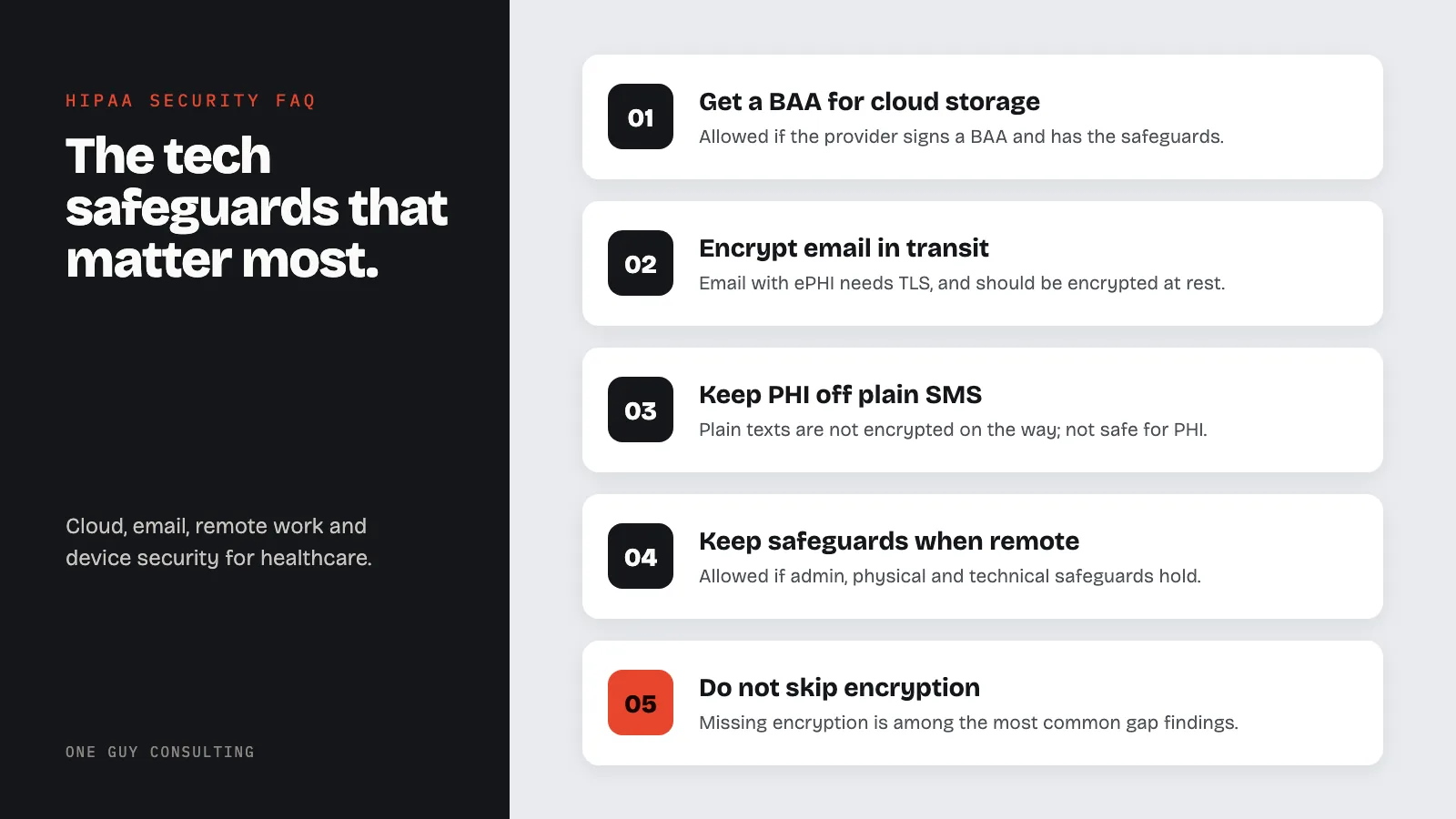
Technology & Security FAQ
Key terms & glossary
- ePHI (Electronic Protected Health Information): Any health data that is created, received, maintained, or transmitted in electronic form and can be tied to one person. The HIPAA Security Rule covers it.
- BAA (Business Associate Agreement): A contract HIPAA calls for. It is signed by a covered entity and any vendor that creates, receives, maintains, or transmits PHI for it.
- Technical Safeguards: The tech, and the rules around it, that keep ePHI safe and control who can reach it. See 45 CFR 164.312.
- Encryption at Rest: Scrambling data where it is stored, so no one can read it without a key.
- Encryption in Transit: Guarding data while it moves from one system to another, such as over email or the web, with a protocol like TLS.
- Access Control: The ways you limit who can see or use ePHI. That takes in a unique user ID for each person, a way in during an emergency, auto log-off, and encryption.
More terms are defined in the HIPAA compliance glossary.
Cloud storage & BAAs
1 question01Is cloud storage allowed under HIPAA?+
Yes. HIPAA allows cloud storage, so long as the cloud provider signs a BAA and puts in place the safeguards 45 CFR 164.312 calls for. Those are access controls, audit controls, integrity controls, and transmission security.
The provider has to keep ePHI encrypted at rest and in transit, and hold access to the people who should have it. Your Business Associate Agreement has to name the cloud services you use.
Email and secure messaging (Gmail, Outlook, TLS)
4 questions02Is Gmail HIPAA compliant?+
A free Gmail account does not meet HIPAA requirements. Google will not sign a BAA for one, and the free tier lacks the admin controls you need.
Paid Google Workspace plans (Business Starter, Business Standard, Business Plus, and Enterprise) can work, when they are set up right and covered by a signed BAA with Google. Accept that BAA in the Google Admin console before any ePHI is sent or stored. See our BAA FAQ for what to look for in a vendor BAA.
03Is Outlook HIPAA compliant?+
Microsoft Outlook can meet HIPAA when you use it as part of a Microsoft 365 plan that includes a BAA. Microsoft signs one for its business and enterprise plans (Microsoft 365 Business Premium, E3, E5, and the like).
A free Outlook.com account does not qualify, because Microsoft will not sign a BAA for a consumer plan. You also have to turn on encryption for data at rest and in transit. And your Business Associate Agreement with Microsoft has to cover the exact setup you use for ePHI.
04Can PHI be emailed?+
You can send PHI by email when the right safeguards are in place. At a minimum, email carrying ePHI has to use encryption in transit (TLS), and should use encryption at rest. Your HIPAA policies should name the email encryption you approve, and staff should get training on secure communication procedures.
05Can PHI be texted?+
Plain SMS is not safe for PHI. Text messages are not encrypted on the way, they can sit in plain text on carrier servers, and you cannot wipe them from someone else's phone.
Use a secure messaging tool with encryption instead, per 45 CFR 164.312(e), which says a covered entity has to guard ePHI from prying eyes while it moves across a network. Your HIPAA policies should name which channels are approved for PHI.
Remote work, home devices & policies
2 questions06Can employees work remotely?+
Yes. HIPAA allows remote work, as long as you keep up your administrative, physical, and technical safeguards. Two sections set the bar:
- 45 CFR 164.310 (Physical Safeguards) - calls for rules on how a workstation is used and kept safe, including one at home
- 45 CFR 164.312 (Technical Safeguards) - calls for access controls, audit controls, integrity controls, and transmission security on every system that reaches ePHI, no matter where it sits
Write your remote work rules into your HIPAA policies. Staff who work from home also have to take HIPAA training that covers what to do at home.
07Are home computers allowed?+
Sometimes, yes. Before you let a home device reach ePHI, look at encryption, access controls, physical security, remote wipe, and your staff policies. A Security Risk Assessment weighs those risks and tells you what controls a home device needs.
Essential technical safeguards (encryption, access, logging)
3 questions08What's the biggest technology mistake healthcare businesses make?+
Skipping encryption on systems, devices, and data where it is called for. Missing encryption is one of the most common findings in a HIPAA Gap Analysis. The Security Rule treats encryption as an addressable implementation specification. That means you either put it in place, or you write down why something just as good will do.
09What's the most overlooked technology safeguard?+
Encryption is still the safeguard health care misses most. Regular workforce training should keep it front of mind, and a gap analysis will show you where it is missing.
10What's one of the best technology investments a healthcare business can make?+
Tools that let you see more, watch more, and get an alert when something looks off. Even a basic tool that flags odd activity helps a lot. A Security Risk Assessment shows you which of these will do the most to keep ePHI safe.
No questions match that search. Try a shorter word, check the glossary, or ask Chuck directly.
One Guy Consulting goes through your tech safeguards with you as part of the Security Risk Assessment. The HIPAA Gap Analysis finds the holes in your tech, admin, and physical safeguards.
Example: a single-location practice found several vendors handling PHI with no BAA in place, got every missing BAA signed, and set up a vendor review it can run again. Read the full anonymized case study (Case 05).
Sources: HHS OCR HIPAA guidance; 45 CFR 164.310 and 164.312; HHS guidance on cloud computing and BAAs; NIST SP 800-66 Rev. 2; Google Workspace BAA and covered services; Microsoft HIPAA/HITECH documentation.
Need Help Evaluating Your Technology Safeguards?
A free 30-minute call covers your current technology setup, the safeguard gaps in it, and what the Security Rule requires you to put in place.